




2
hours
lesson per week

80%
practice
project-led activities

9
months course
during academic year (Sep-July)
2
level course
each level is 9 month long
Your child will learn in the most advanced, interactive way
1
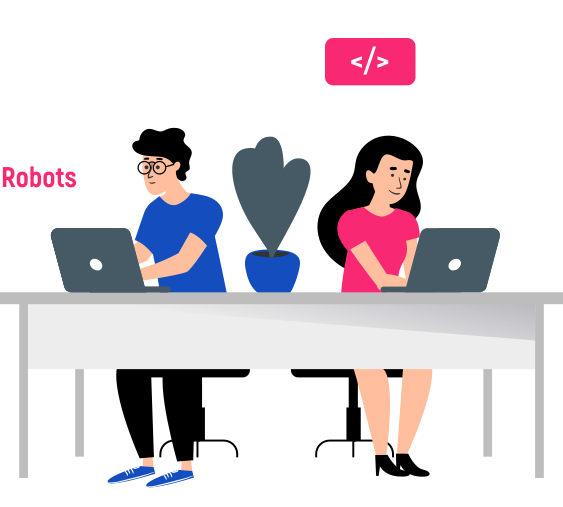
They will learn how different devices work.

2
They will learn how to build and control Robots.
3
They will learn creating computer games.

Why Parents Choose impact A&C
Our mission is to transform every child from a mere consumer into a creator of IT technologies. Instead of mindlessly using gadgets without benefit, your child will gain skills that can be applied in school, in their chosen profession, or to become a sought-after IT specialist.
Courses that will put your child at the forefront of technology
8 years of international experience across Europe, teaching 86 tech topics
Certified Specialists in delivering engaging & interactive learning sessions with kids
Trusted by parents and partners
IT-Intern - level l course program
- 12 practical lessons
- 12 practical lessons
- 12 practical lessons
IT-Intern - level ll course program
- 12 practical lessons
- 12 practical lessons
- 12 practical lessons
Module 3. LEGO Building and Introductory Programming
LEGO® SPIKE™ Essential is an educational tool that allows children to explore engineering, construction, and basic programming concepts through hands-on activities and creative projects.
After completing the module, students will be able to:
After completing the module, students will be able to:
- Building LEGO models and mechanisms
- Developing creativity, imagination, and teamwork skills
- Learning basic engineering and design concepts
- Creating simple programs using code blocks
- Bonus: Introduction to computational thinking and problem-solving
Module Plan
Lesson 1. Introduction
- Introduction to Programming and ScratchJr
- Learn the basic principles of programming.
- Get familiar with the ScratchJr environment.
- Create a first project using ScratchJr.
- Develop logical thinking and problem-solving skills.
Lesson 2.
- Testing and Loops in ScratchJr
- Understand the importance of testing programs.
- Learn how to test personal projects.
- Work with loops in ScratchJr.
- Develop analytical thinking through testing and debugging activities.
Lesson 3.
- Loops, Iterations, and Code Execution
- Explore loops and iterations in ScratchJr.
- Understand the concepts of Compiler, Computer Code, and Code Execution.
- Create interactions between characters.
- Strengthen logical thinking through practical programming exercises.
Lesson 4.
- Introduction to Kano Code
- Get acquainted with the Kano platform.
- Explore the Kano Code application.
- Create a first project using Kano Code.
- Develop creativity through interactive coding activities.
Lesson 5.
- Working with Components in Kano Code
- Continue working in the Kano Code application.
- Learn how to add components to a project.
- Work with the Sticker component.
- Modify component properties within the application.
- Develop coding and design skills through experimentation.
Lesson 6.
- Introduction to Hour of Code
- Begin working on the Hour of Code platform.
- Complete the Voyage Aquatic mission.
- Program a Minecraft game scenario using code blocks.
- Select a topic for the final project.
- Present projects developed throughout the module.
- Create a final project reflecting personal interests and acquired knowledge.
Lesson 7.
- Minecraft Hero’s Journey
- Continue working on the Hour of Code platform.
- Complete the Minecraft Hero’s Journey mission.
- Program a Minecraft game scenario using code blocks.
- Strengthen problem-solving and logical thinking skills.
Lesson 8.
- Advanced Hour of Code Activities
- Continue working on the Hour of Code platform.
- Complete additional missions available on the platform.
- Program a game or animation selected by the students.
- Encourage creativity and independent project development.
Lesson 9.
- Sound and Interaction in Kano Code
- Continue working in the Kano Code application.
- Learn how to add new components to projects.
- Work with the Microphone component.
- Visualize sound waves using Kano Code.
- Explore interactive programming concepts.
Lesson 10.
- Blockly Games – Maze
- Begin working on the Blockly Games platform.
- Complete the Maze mission.
- Program a game scenario and help the character navigate through the maze.
- Apply computational thinking to solve challenges.
Lesson 11.
- Codewars – CATS Robots
- Begin working on the Codewars platform.
- Complete the CATS Robots mission.
- Program the game scenario to help the kitten navigate the path and collect the required items.
- Apply coding knowledge and logical reasoning to solve increasingly complex tasks.
Lesson 12.
- During the course, students selected a topic for their final project.
- They will present the projects they have developed throughout the module.
- The final project should reflect the student's personal preferences and knowledge gained during the course.
Module 2. 3D Modeling.
Students will learn to unleash their imagination and, with the help of the web tool Tinkercad, create a 3D model of their own Universe with unique inhabitants.
Hard skills:
Hard skills:
- the ability to work with the Tinkercad platform, create a 3D model for any object.
- developing imagination, limitless volumetric thinking, unleashing creative potential, increasing confidence, and the ability to go from idea to result.
Module Plan
Lesson 1. Tinkercad
- Getting introduced to the 3D world.
- Learning all the geometric shapes.
- Getting acquainted with Tinkercad.
- Learning how to work with multiple objects.
Lesson 2. Tinkercad
- Reviewing the knowledge we received in the last lesson.
- Starting to model a cup.
- Learning how to join objects and color them.
- Mastering working with multiple objects.
Lesson 3. Tinkercad
- Reviewing the knowledge received in the last lesson.
- Learning the shortcut key combinations.
- Getting to know how to cut objects.
- Starting the work on the lesson's project.
Lesson 4. Tinkercad
- Familiarizing ourselves with the key terms.
- Repeating the quick key combinations.
- Learning to control objects using the keyboard arrows.
- Starting the work on the lesson's project.
Lesson 5. Tinkercad
- Let's recap the previous lesson.
- Starting to make a detailed rocket.
- Arranging our 3D objects uniformly.
- Learning how many degrees are in a circle so we can rotate objects to the required degrees.
Lesson 6. Tinkercad
- Let's recap the previous lesson.
- Learning new key words.
- Starting the work on the lesson's project.
- Repeating how to cut objects and join them.
- Working with coloring objects and color combinations.
Lesson 7. Tinkercad
- Understanding the basic concepts of 3D modeling.
- Developing 3D modeling skills by creating characters and objects from the Angry Birds game.
- Understanding the process of decorating levels.
- Learning the basic principles of 3D modeling: students will learn the basic principles of 3D modeling.
- Learning the technique of modeling a rabbit.
- Learning how to add textures and colors to give the model a realistic appearance.
Lesson 8. Tinkercad
- Understanding the basic concepts of 3D modeling, such as creating and modifying objects.
- Understanding the process of designing a house.
- Developing 3D modeling skills by creating a house, including interior and exterior elements.
Lesson 9. Tinkercad
- Understanding the concept of 3D modeling and the tools needed to create a 3D model.
- Using 3D modeling software to create a 3D model.
- Applying textures and materials to add color and additional details.
Lesson 10. Tinkercad
- Understanding the basic concepts of 3D modeling, such as polygons, vertices, and textures.
- Practicing 3D modeling techniques.
- Learning how to optimize the model for use in a game or other animation projects.
Lesson 11. Tinkercad
- Learning the basic principles of 3D modeling: students will learn the basic principles of 3D modeling.
- Creating a 3D model of a bear.
- Improving knowledge of art and design: by creating a 3D model of a bear.
Lesson 12. Tinkercad
Module 3. Minecraft.
We learn sequential and loop algorithms using Code.org, Scratch, and Minecraft.
Hard skills:
Understanding the basic concepts of programming, creating games and animations in the Scratch environment, solving puzzles and challenges using programming in Code.org, and learning various aspects of the Minecraft world.
Soft skills:
Hard skills:
Understanding the basic concepts of programming, creating games and animations in the Scratch environment, solving puzzles and challenges using programming in Code.org, and learning various aspects of the Minecraft world.
Soft skills:
- Developing logical thinking, nurturing imagination, and the ability to generate new ideas, putting ideas into practice using programming knowledge, and teamwork.
Module Plan
Lesson 1
- Download and install Tlauncher to play Minecraftfor free.
- Download and install Java (if necessary).
- Learn the basic settings and control of Minecraft.
- Creating a new world in the game, explore it, and build the first houses.
Lesson 2
- Studying the characteristics of day and nightin Minecraft.
- Getting to know the types of mobs in the game.
- Studying what Artificial Intelligence (AI) is.
- Drawing a Minecraft hero in the MinecraftSkins editor.
Lesson 3
- Reviewing what types of mobs we know.
- Learning ways to defend ourselves and attack hostile mobs.
- Learning what Health Points and armor are.
- Discussing what hunger is in the game and how to satiate it.
Lesson 4
- Let's discuss what programming, coding, and encoding mean.
- Highlight the differences between visual programming and traditional programming.
- Access a special version of the Minecraft game that allows programming.
- During the course, students have chosen a theme for the final project. They will present the projects completed throughout the module.
- The final project should reflect the personal preferences and knowledge of the student attending the course.
Lesson 5
- Discussing what an algorithm is and its areas ofapplication.
- Program the robot to perform a specific task.
- Come up with a set of commands and create an algorithm for a colleague.
- Getting familiar with the Scratch program, its functions, and its important capabilities.
Lesson 6
- Recall what an algorithm is.
- Let's discuss what a loop is in programming and why to use it.
- Let's create a game - maze in the Scratch program, using loop for programmed heroes.
- To create our own mazes in Minecraft, and to go through each other's mazes with our classmates.
Lesson 7
- Let's discuss what a condition is and what action will fulfill.
- Study examples of conditions and how they are represented in Scratch.
- Let's create a game in the Scratch program, using conditions for programmed heroes.
- Study what TNT is in Minecraft and how it can be used.
Lesson 8
- Let's continue to strengthen the concept of algorithm.
- We learn what variables are and how to use in Scratch.
- Let's find out what a platformer game is and its characteristics.
- Create a platformer game in Scratch with Minecraft heroes.
- Find out how to win a Skeleton in Minecraft and prepare the weapons with which we will fight the evil mobs.
Lesson 9
- Let's define the terms parkour and traceur.
- Learn what parkour is and what it entails.
- Create your own parkour course in Minecraft by adding floating platforms and obstacles to navigate through.
Lesson 10
- Let's define the terms score, hide, and show.
- Learn where we use the variable "score" and what it entails.
- Create the game Stone Storm in Scratch, adding the Score variable that will calculate the points obtained.
Lesson 11
- Learning the definitions of the terms: mechanism, presentation, and project fair.
- Finding out what a presentation is and what the purpose of holding a Project Fair is.
Lesson 12
Module 1. Robotics.
In this module, students learn the fundamentals of robotics. Children learn to control and program robots, understand their construction and how they work. Students interact with Dash & Dot - real robots that teach children programming in a playful way.
Robot Programming Understanding how robots function Learning basic programming concepts (loops, iterations, conditions, etc.)
Robot Programming Understanding how robots function Learning basic programming concepts (loops, iterations, conditions, etc.)
Module Plan
Lesson 1
- Becoming familiar with the concept of a robot.
- Getting acquainted with the robot Dash.
- Familiarization with the concepts: algorithm, program, programmer, code.
- Learning how to control the robot.
Lesson 2
- Familiarizing ourselves with the concept of algorithm.
- Getting to know formation and adaptation of an algorithm.
- Studying the concepts of algorithm, program, programmer, and code.
- Programming the movement of a robot.
Lesson 3
- Getting familiar with loops in programming: for-loop, while-loop.
- Studying operators and variables.
- Learning the concept of a "for loop".
Lesson 4
- Getting familiar with conditions in programming (if-else blocks).
- Studying operators and variables.
- Learning the concept of an "if-else” statement.
- Studying the sensors of the robot.
Lesson 5
- Getting acquainted with the Sphero Mini robot.
- Rules of usage. Installing the necessary programming applications.
- Familiarizing with the Sphero Play app.
- Completing practical tasks.
Lesson 6
- New Projects with Sphero Mini.
- Rules of Usage.
- Learning about a Circle.
- Understanding the Circumference of a Circle.
Lesson 7
- Introduction to basic programming concepts such as algorithms and commands.
- Learning how to control the movement of the
- Sphero Mini robot using basic commands.
- Exercising programming skills.
Lesson 8
- Introduction to Sphero Indi and basic control.
- Learning the colors used for movement.
- Solving challenges.
Lesson 9
- Understanding the basic concepts of programming Sphero Indi.
- Using the Sphero Edu Jr. application to program Sphero Indi.
- Solving the Sumo-bot Challenge.
Lesson 10
- Recap of Sphero Mini and Sphero Indi.
- Quest - The Treasure Map.
- Preparation for Project Fair.
Lesson 11
Lesson 12
Project Fair
Project Fair
- Recap
- Rehearsal for Project Fair
- Project Fair - Presentation of Results
Module 2. Design Thinking.
In this course, we learn to program our own projects, games, and computer animations. We take an idea, create a plan for developing the game/application/robots, put it into practice, and present it to others.
Hard skills
Hard skills
- The ability to work with the Tynker platform, the capability to create project plans and gradually implement them until achieving the final result.
- Developing acting skills and public speaking ability, the capacity to present and defend one's own project, self-confidence, teamwork, and fostering creative and logical thinking.
Module Plan
Lesson 1
- Introduce the principles of Design Thinking to the students.
- Draw a diagram of the stages of Design Thinking.
- Together, solve a quest following the stages of Design Thinking.
- Implement the mini-project "Help the Tooth
Lesson 2
- Let’s discuss what sequence means in programming.
- Let’s register on Tynker.
- Solve the puzzles and create two projects in the special instruction block on Tynker.
- Create sequences for preparing breakfast in pairs.
Lesson 3
- Introduce the students to the types of empathy as a stage of Design Thinking.
- Conduct games that develop acting skills.
- Organize games that promote the development of empathy.
Lesson 4
- Discussing what computational thinking is and how it can be applied in practice.
- To examine the stages of computational thinking.
- Together, to invent some problems or tasks that require the use of computers for resolution.
Lesson 5
- Let's study the steps of creating a character for a game, cartoon, book, etc.
- We'll go through each step together and draw sketches of your own heroes.
- Draw a simple character in the Tynker graphic editor.
Lesson 6
- Introduce students to the concepts of "video game," "runner," and the basic principles of creating a runner-type game.
- Conduct a game that develops teamwork skills and team spirit.
- Create a "Runner" mini-project by going through all the stages of Design Thinking in the Tynker program.
- Review
- Rehearsal for Project Fair
- Project Fair - Presentation of results
Lesson 7
- Let's discuss what a platformer game is.
- We'll watch images/videos of the best platformers for computers.
- We'll discuss the stages of creating a video game and draw sketches of your own platformers.
- Let's create our own platformer game in the Tynker program.
Lesson 8
- Organize a game to develop emotional intelligence.
- Organize a game to develop creativity.
- Introduce the children to the terms "emotion" and "creativity" and discuss the importance of these skills in modern society.
Lesson 9
- Let’s discuss what RPG games mean.
- Let’s explore the stages of creating a video game using Design Thinking and draw sketches of our own games.
- Let’s create our own RPG game using the Tynker program.
Lesson 10
- Introduce students to the concept of 'Crowdsourcing' and experiment with this method in practice.
- Organize a game to develop the skill of breaking down large tasks into smaller ones and working as a team.
Lesson 11
- Introduce students to the concept of 'Focusing' and experiment with this method in practice.
- Organize a game to develop the skill of concentrating on the task at hand.
Lesson 12
Module 3. Coding - basic programming.
Scratch Jr - It is a tool that allows children to learn basic programming skills, as well as creative thinking and systematic reasoning, even if they cannot rad.
- Creating custom games with Scratch
- Applying mathematical and physics laws in games
- Learning animation
- Creating their own characters
- Bonus: Basics of programming (variables, loops, logical sequences)
Module Plan
Lesson 1
- Let's Introduce the Principles of Programming
- Let's Get Familiar with ScratchJr
- Let's Create the First Project in ScratchJr
Lesson 2
- Understanding how to test programs and why testing is necessary
- Trying to test our own projects
- Working with loops in ScratchJr
Lesson 3
- Let's introduce the topic of loops and iterations in ScratchJr
- Let's understand the terms Compiler, Computer Code, Code Execution
- Let's create interactions between characters
Lesson 4
- Let's get acquainted with Kano
- Let's familiarize ourselves with the Kano Code app
- Let's create our first project in this app
Lesson 5
- Continue working in the Kano Code application.
- Understand how to add components to our application.
- Work with the sticker component in Kano Code.
- Learn how to modify the properties of components within the application.
Lesson 6
- Let's start working on the Hour of Code platform.
- Complete the Voyage Aquatic mission.
- Program the Minecraft game scenario using code blocks.
- During the course, students selected a topic for their final project.
- They will present the projects they have developed throughout the module.
- The final project should reflect the student's personal preferences and knowledge gained during the course.
Lesson 7
- Continue working on the Hour of Code platform
- Complete the Minecraft Hero’s Journey mission
- Program the Minecraft game scenario using code blocks
Lesson 8
- Continue working on the Hour of Code platform.
- Complete the most interesting missions available on the site.
- Program the scenario for the game or animation chosen by the children.
Lesson 9
- Let's continue working in the Kano Code application.
- Let's understand how to add components to our application.
- Let's work with the Microphone component in Kano Code.
- Let's learn how to visualize sound waves using Kano Code.
Lesson 10
- Let's start working on the Blockly Games platform.
- Let's complete the Maze mission.
- Let's program the game scenario and help the character navigate through the path.
Lesson 11
- Let's start working on the Codewars platform.
- We'll take on the mission "CATS Robots,"
- We'll program the game's scenario to help the kitten navigate the path and collect the necessary items.
Lesson 12
How are the lessons structured?
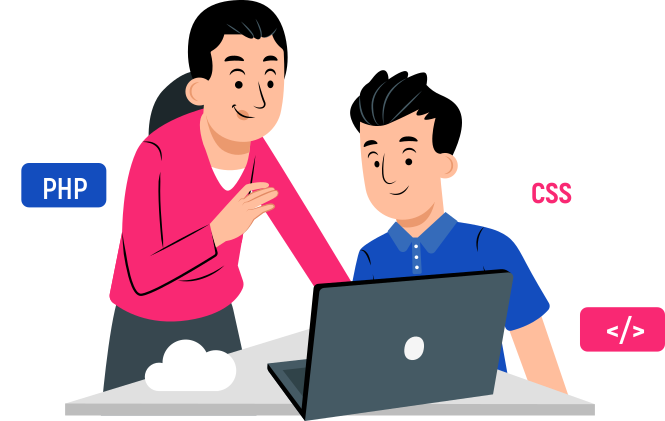
2h lesson per week focused on 80% practice
Small groups of up to 10 kids with individual support from teachers
|
Live online or in-person lessons
What our students will achieve?

Certificate of completion of the course
Upon completion of the training, you will receive a certificate from Impact School in your national language and English.
Their own portfolio of projects
Their coding dreams are coming true! Hear how our classes helped these two students!


Your child will create their first project after the trial lesson, and you'll be convinced of the quality of our teaching.
Sign Up for a Free Trial
By proceeding, you agree to our Terms & Conditions and our Privacy Policy. You agree to receive marketing communications and program details from Impact A&C on Email, Text & Whatssap.
Subscription Options
Get an extra 20% discount — exclusively for the first 20 students to enroll!
MONTHLY SUBSCRIPTION
IT INTERN
£
149
£37,25/ 1.5 h lesson
Kids will dive into learning robotics, programming, sharpen their problem-solving skills, and explore creative coding apps for 3D modelling, graphic design and coding in Minecraft.
Kids will dive into learning robotics, programming, sharpen their problem-solving skills, and explore creative coding apps for 3D modelling, graphic design and coding in Minecraft.
3 MONTHS SUBSCRIPTION
IT INTERN
£
322
£
447
£26,8/ 1.5 h lesson
Kids will dive into learning robotics, programming, sharpen their problem-solving skills, and explore creative coding apps for 3D modelling, graphic design and coding in Minecraft.
Kids will dive into learning robotics, programming, sharpen their problem-solving skills, and explore creative coding apps for 3D modelling, graphic design and coding in Minecraft.
9 MONTHS SUBSCRIPTION
IT INTERN
£
858
£
1341
£23.8/ 1.5 h lesson
Kids will dive into learning robotics, programming, sharpen their problem-solving skills, and explore creative coding apps for 3D modelling, graphic design and coding in Minecraft.
Kids will dive into learning robotics, programming, sharpen their problem-solving skills, and explore creative coding apps for 3D modelling, graphic design and coding in Minecraft.
Want proof our coding classes are awesome? Hear what parents are saying!


Parent, Sana
I checked with Aariz and he told me he really likes doing the coding classes and quite happy with the teaching method. I'm also happy to get the feedback on him.
Parent, Erdal
Hi Daniela, I'm very well and hope you're too. Firstly, Ali Denis really loves coding and your lessons/school. We want him to keep come to lessons.
I initially bought it for my son for one month, and he loved it so much that I ended up getting eight more months. It's incredible beneficial, my son loves it a lot, and how he wants to go every day. I highly recommend it.
Parent, Cara
5.0
5.0
5.0
5.0
Highly recommend 🙌 My boys enjoying so much the coding lessons!❤️
Parent, Ioana
Sneak Peek of Our Future-Shaping Classes
Frequently Asked Questions (FAQ)
Our coding courses are designed such that any learner with no previous coding knowledge can easily follow along. Our courses are specifically tailored for different age groups and different levels of coding knowledge, which will be perfectly suitable for kids with no previous coding experience, some experience or more advanced knowledge in coding.
Children can begin learning coding languages as early as 5 years old. The sooner the better - our coding courses are focused on practical activities, where the aim is for the kids to develop the key technical skills to further excel in this industry.
For in-person classes, your child will be provided with all the technology required, so no need to bring anything. For online classes, your child only needs a laptop/computer equipped with a working webcam and a stable internet connection.
Impact A&C is an international tech education organisation, founded 7 years ago, and currently has over 60 branches across Europe and more than 20,000 graduates. We are trusted partners of a number of prestigious schools with whom we work, trusted and recommended by 98% of parents. We partner with large organisations like Amazon to continually improve our coding courses and ensure they cover the latest tech developments.
Yes, we do offer great flexibility with our learning schedule. We have multiple options for in-person and online live classes - weekdays or weekends, multiple time slots. We will always strive to meet parents’ and kids’ personal needs and offer the options of switching groups, days or timings.
GREAT NEWS - we are registered with OFSTED on their voluntary register for our branch in Stratford, at Sarah Bonnell School. You now have the option to use childcare vouchers towards our Impact tech educational courses. Get in touch with us via the phone numbers listed on our website, or submit a form and one of our Impact consultants will help you out.
Each coding course, specifically designed for different age groups, is 9 months long covering 3 different modules. The course if perfectly aligned to the school academic year. During each term, your child will learn a new module (12 lessons) finishing with a project fair, where we invite parents in and kids are presenting their final project and what they learned during each module. Our online live classes, as well as the in-person classes are 2h long. We find the 2h is the optimal time for the kids to apply the theory in practice and work on building their own tech project. This way, they develop the necessary skill set, better understand the theory and get more creative when developing their projects (i.e. creating their own game, animation, website, app etc.)
We offer options to join our coding courses on weekdays afternoon or weekends (with options between 9:30-19:00).
We offer options to join our coding courses on weekdays afternoon or weekends (with options between 9:30-19:00).
We take pride in delivering courses that are both academic and most importantly, fun. No matter which class, your child will come away having learnt a lot, but not through ‘rote’. We have top quality tutors who are great at engaging children and inspiring them. This is not about ‘playing games’ all day.
Coding has been called "the literacy of the 21st century” for good reason. Just like math, science, and literature, coding is a key aspect of understanding our technologically advanced world. There’s a huge need for a generation that not only understands technology, but how it works. Regardless of whether your kids one day pursue a career in coding, Impact A&C teaches them confidence, logic, resourcefulness, and problem solving skills that will serve them for the rest of their lives in any industry where they will need to apply their knowledge in technology.
It’s great that schools offer computer education, but they are often under-resourced and are unable to offer the sophisticated ongoing coding curriculum that kids need. Parents who want their kids to get ahead and learn coding properly are turning to Impact A&C. We offer advanced project-led activities, where kids will learn coding and develop their own game, graphic design project, website, app, animation etc.
Impact Centers are open to kids after school on weekdays or weekends. Please call or submit a form on our website and one of our consultants will give you all the details.
Absolutely! We encourage parents to watch their kids from outside the classroom to see how they perform during the class, and at the end of each lesson we welcome the parents in to see their kids’ projects, as they are eager to proudly show what they have created during the lesson.
At Impact A&C locations, your child's safety is our highest priority. We always conduct our classes on school premises and ensure that all procedures and policies are being followed to maintain a secure space for your kids. All our teachers are fully trained, DBS checked and have the necessary experience to work with kids.
We have multiple groups, and we keep them small—generally 8 to 10 children per group. For larger groups (up to 15 children), we have both a teacher and an assistant in the classroom to ensure that every child receives individual attention and support.
1 session a week. 120 minutes (2 hours) per session.


Have any questions? Leave your contact details, and our manager will get in touch with you as soon as possible.
Get a Free Consultation


By proceeding, you agree to our Terms & Conditions and our Privacy Policy Privacy Policy. You agree to receive marketing communications and program details from Impact A&C on Email, Text & Whatssap.
Get a Free Trial
Discover the World of Coding with Us!
By proceeding, you agree to our Terms & Conditions and our Privacy Policy. You agree to receive marketing communications and program details from Impact A&C on Email, Text & Whatssap.